

Making digital course materials accessible is an important part of good teaching practice.
When digital content follows accessibility guidelines, it is easier for students to
navigate, understand, and use—whether they are working on a laptop, a phone, or with
assistive technology. Accessible materials also help reduce the need for last-minute
fixes when accommodations are requested.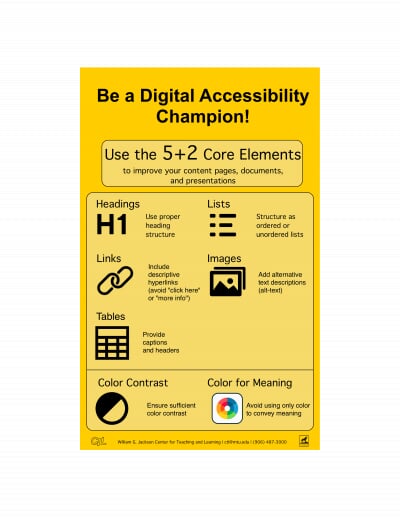
This resource introduces the 5+2 essential elements, a simplified approach for reviewing your instructional materials. The five core essentials focus on structure and clarity—how headings, lists, links, images, and tables are used. The two color checks address common barriers around contrast and relying only on color to convey meaning.
You don’t need advanced skills or big redesigns to use these elements—they’re simple steps that make a big difference. Incorporating them into your regular workflow in Word, Google Docs, or the Canvas Rich Content Editor helps your course materials work better for everyone, no matter what device or platform they’re using.