

CITI Training
Creating a Citiprogram Account
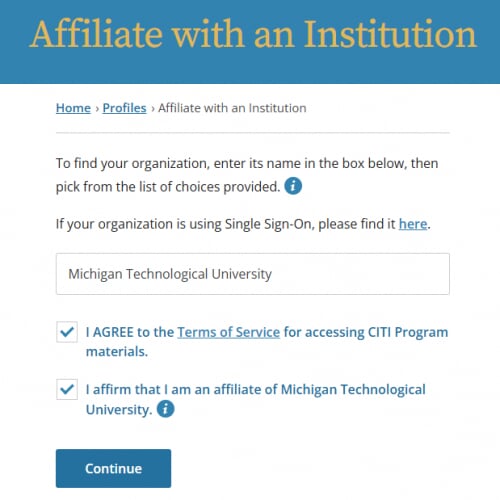
To begin, visit Citiprogram.org click on the register link at the top of the page or the register button under “Create an account.” You will be guided through each of the seven steps in the registration process. If you have already taken courses through the CITI training program and are affiliated with Michigan Tech, you do not need to re-register. Single Sign-On (SSO) is not used for the CITI Program. Please enter "Michigan Technological University" and follow the next steps.
Enrolling in CITI Online Courses
After creating an account, log in at citiprogram.org using your CITI username and password.
From the Main Welcome page, click on the “View Courses” box for Michigan Technological University. Scroll down to the bottom of the page. In Learner Tools for Michigan Technological University, click "Add a Course."
The CITI training courses offered by Michigan Tech are grouped into five categories, select Responsible Conduct of Research. Select either “Advanced RCR Training” or "Undergraduate Researcher, RCR Training” based on your requirement.
Completing your Online Training
Each course contains several modules that can be completed at your own pace. You may want to complete the training in several sessions. The program remembers which modules you have completed. Returning to the site requires signing in with your username and password.