

Graduates will be notified two months prior to the ceremony via campus email when tickets are ready to be reserved. If extra tickets are available, graduates will be notified once the reservation period has ended. Please contact the Central Ticket Office at 906-487-2073 with questions.
Guest Tickets
Guest tickets are available only for graduating students to request through the Commencement Guest Ticket Requests Form. Tickets are able to be requested by graduates until Friday, November 27 at 11:59pm.
- Tickets for graduates will be sent to their MTU email address between Monday, December 7 and Friday, December 11, 2026.
- Graduates can send tickets to their guests by following the instructions below.
Ticket Sharing Instructions
In order to get your tickets for commencement, you must first fill out the Commencement Guest Ticket Requests Form shared with you. Ticket requests are due by Friday, November 27 at 11:59pm. Tickets for commencement will be shared to graduates between Monday, December 7 and Friday, December 11. Please follow the steps below to share out your tickets.
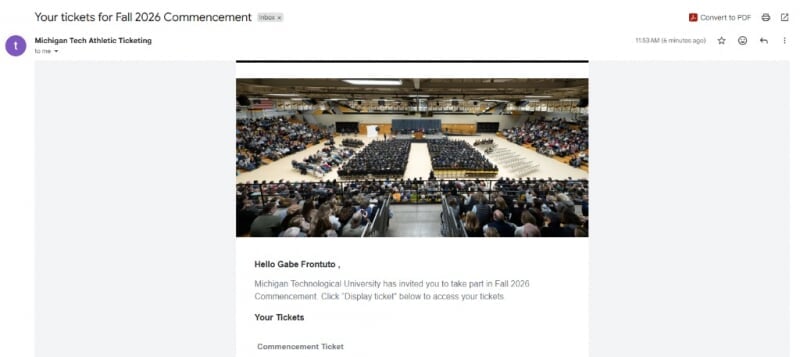
Step 1: Email from Athletics
When your ticket(s) have been sent out, you will receive an email from Michigan Tech Athletic Ticketing and the subject line will say "Your tickets for Fall 2026 Commencement Ceremony"
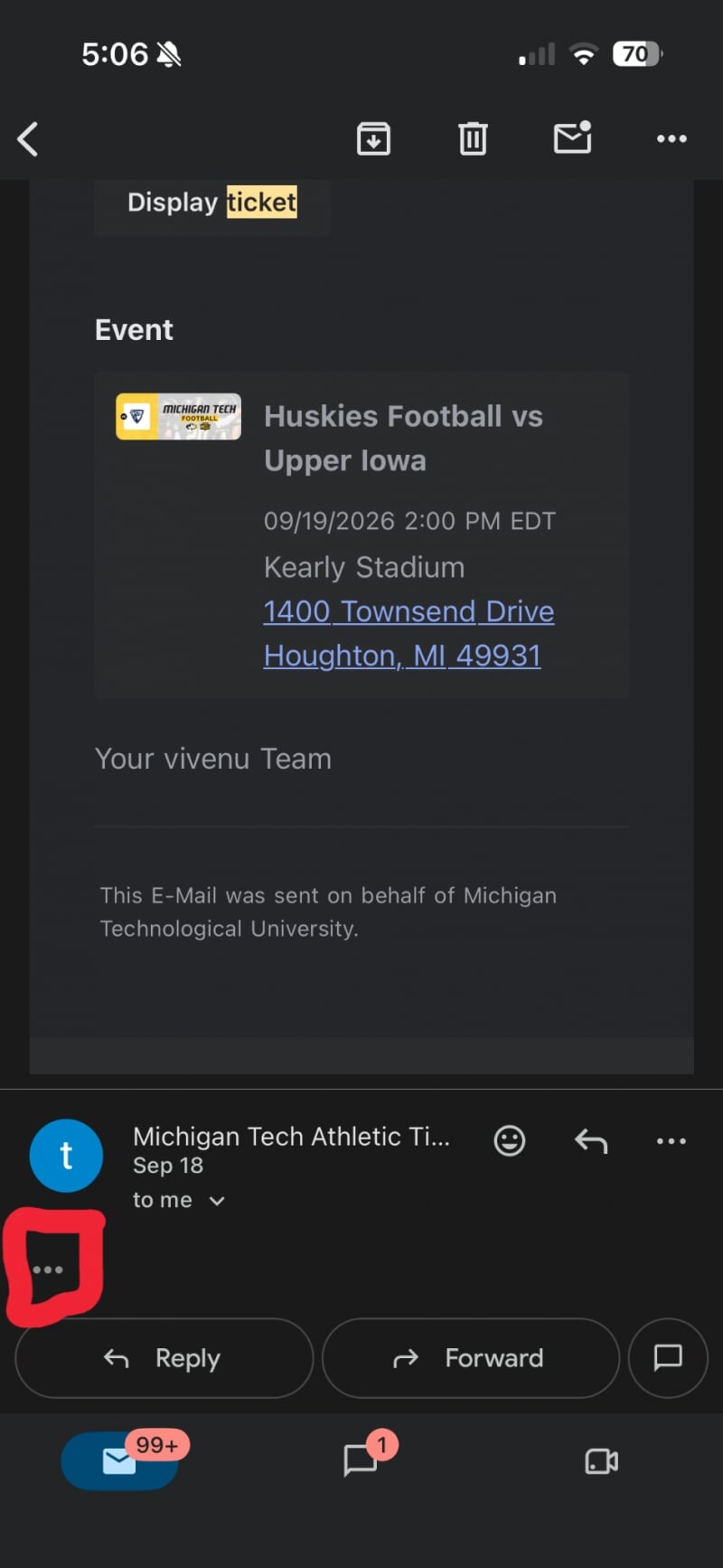
Step 2: One Email Per Ticket Requested
You will receive one email per ticket requested. The tickets should be sent together, each in a separate email. If you can only see one ticket but can see multiple emails, try clicking on the three dots menu (...) in order to see any additional tickets.
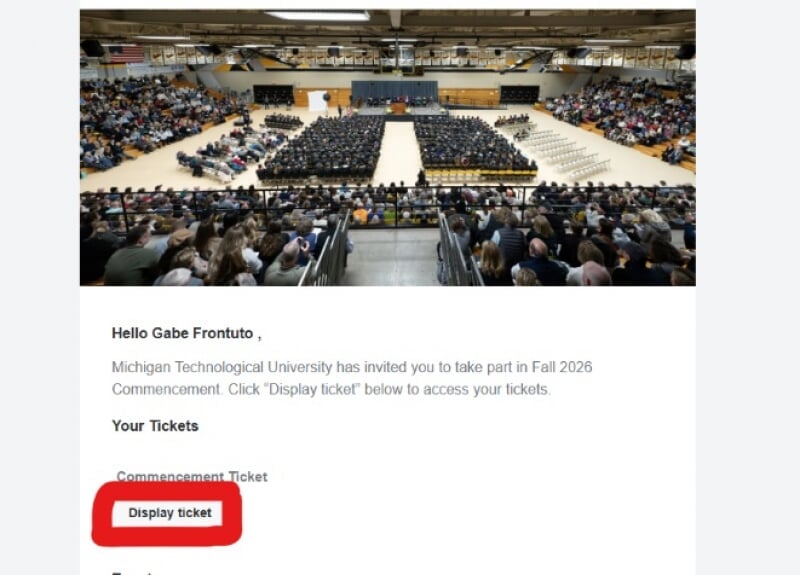
Step 3: View Ticket
Click on "Display Ticket" in the email.
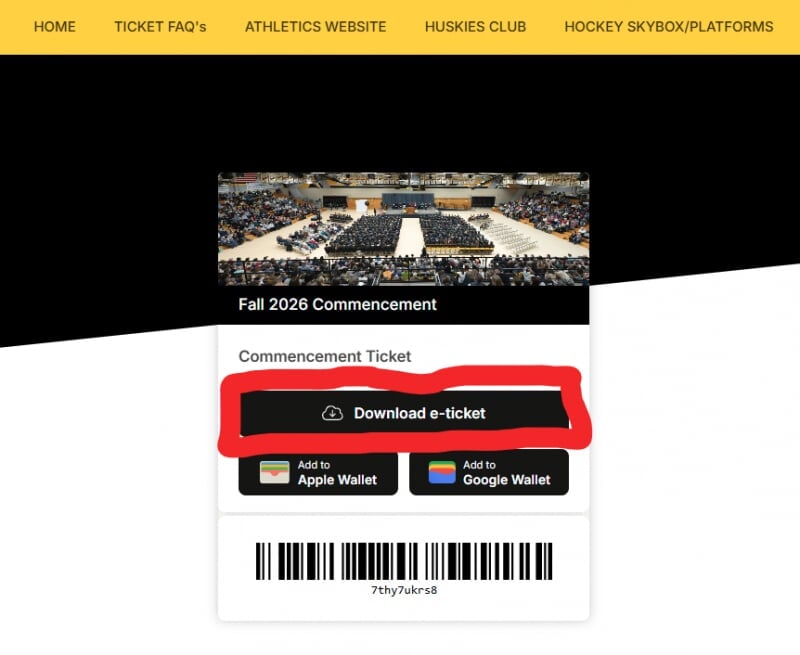
Step 4: Download Ticket
After clicking ‘Display Ticket ’, you will be brought to the page where it has a link to download your e-ticket.

Step 5: Sharing With Your Guest
In order to share your ticket with your guest, you must click ‘Download e-ticket’. Downloading this e-ticket will save a pdf with the ticket into your downloads folder. To share this ticket with your guest, you must share the PDF file with them. Repeat steps 3-5 for any additional tickets. You can ALSO forward the email with the ticket to your guest and they can download the e-ticket themselves.
Important Ticket Information
- The number of tickets available per graduate is dependent upon several factors, including the number of graduates planning to attend the ceremony. Ticket availability is determined on a semester basis.
- Only graduates participating in the ceremony can request tickets.
- A ticket is required for entry.
- Graduates themselves do not need tickets.
- If a graduate cancels their plans to attend the ceremony, their tickets become invalid.
- Tickets are free of charge. Under no circumstances should an exchange of money occur for tickets.
- Family and friends who cannot attend the ceremony may watch it live online.