

The CFE team has developed course design templates for both face-to-face and online courses. The course design templates will provide you with a solid foundation for good and effective course design and help online faculty meet many of the Quality Matters specific review standards.
Face-to-Face Course Design Template
You can either import the template into an existing course, or you may want to create a blank Canvas course to import the template into. Here is how to import the face-to-face course design template:
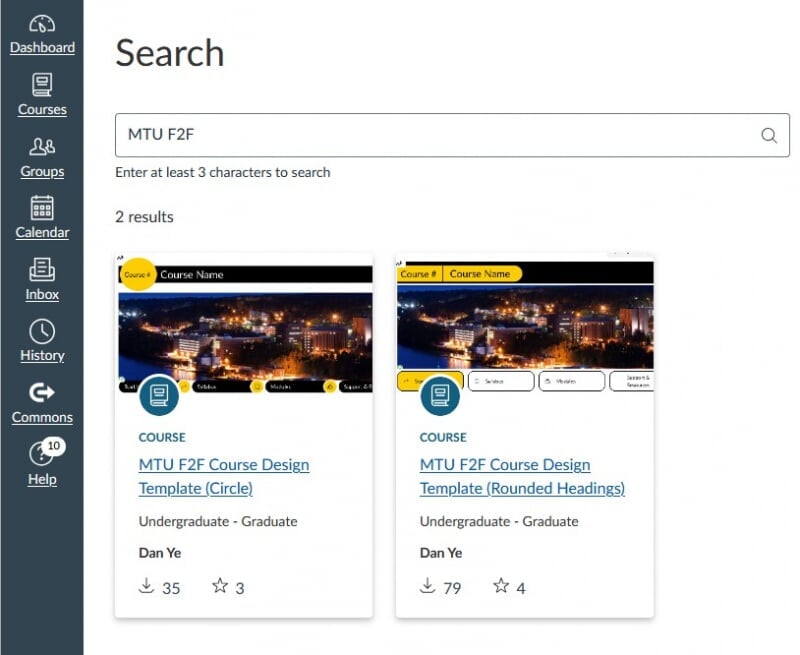
- Log into Canvas.
- Select "Commons" from the left navigation bar.
- Then either use this link to access the templates or search the Commons for "MTU F2F".
- Select the course template you would like to use.
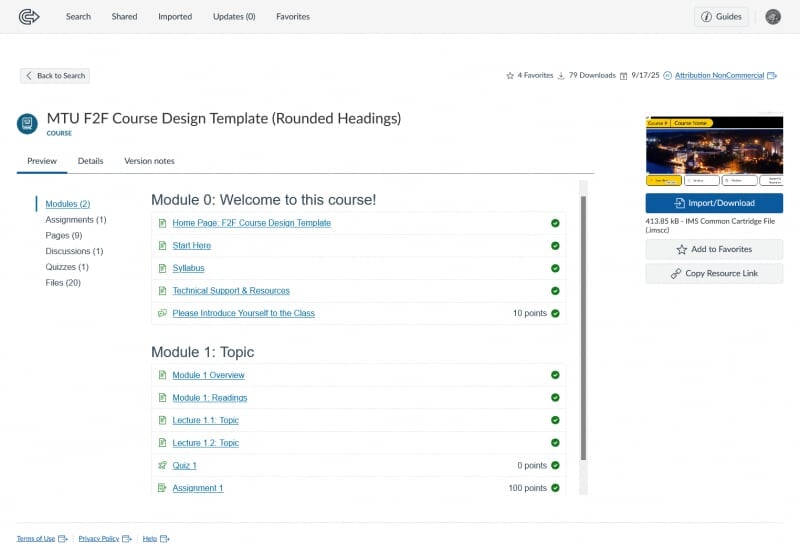
- Click the blue "Import/Download" button on the right side of the page (located under a preview of the template).
- Select the course(s) you would like to import the template into and click the "Import into Course" button at the bottom of your course list.
- The template will be imported into your course in a few minutes.
Online Course Design Template
A template specific to online courses is also available. If you need access to the online course design template, please contact the CFE online team via coursedesign@mtu.edu. We highly recommend you contact us at your earliest convenience to ensure the quality of your online courses. Good online courses require time to prepare, design, and create!